Operator interface

Custom HTML HMI

The HMI looks nothing like a PLC screen. It's your HTML, your branding, served from the device — with a one-line bridge to live process data, and a set of bindings that reach much further than a value readout.

Status Shipped

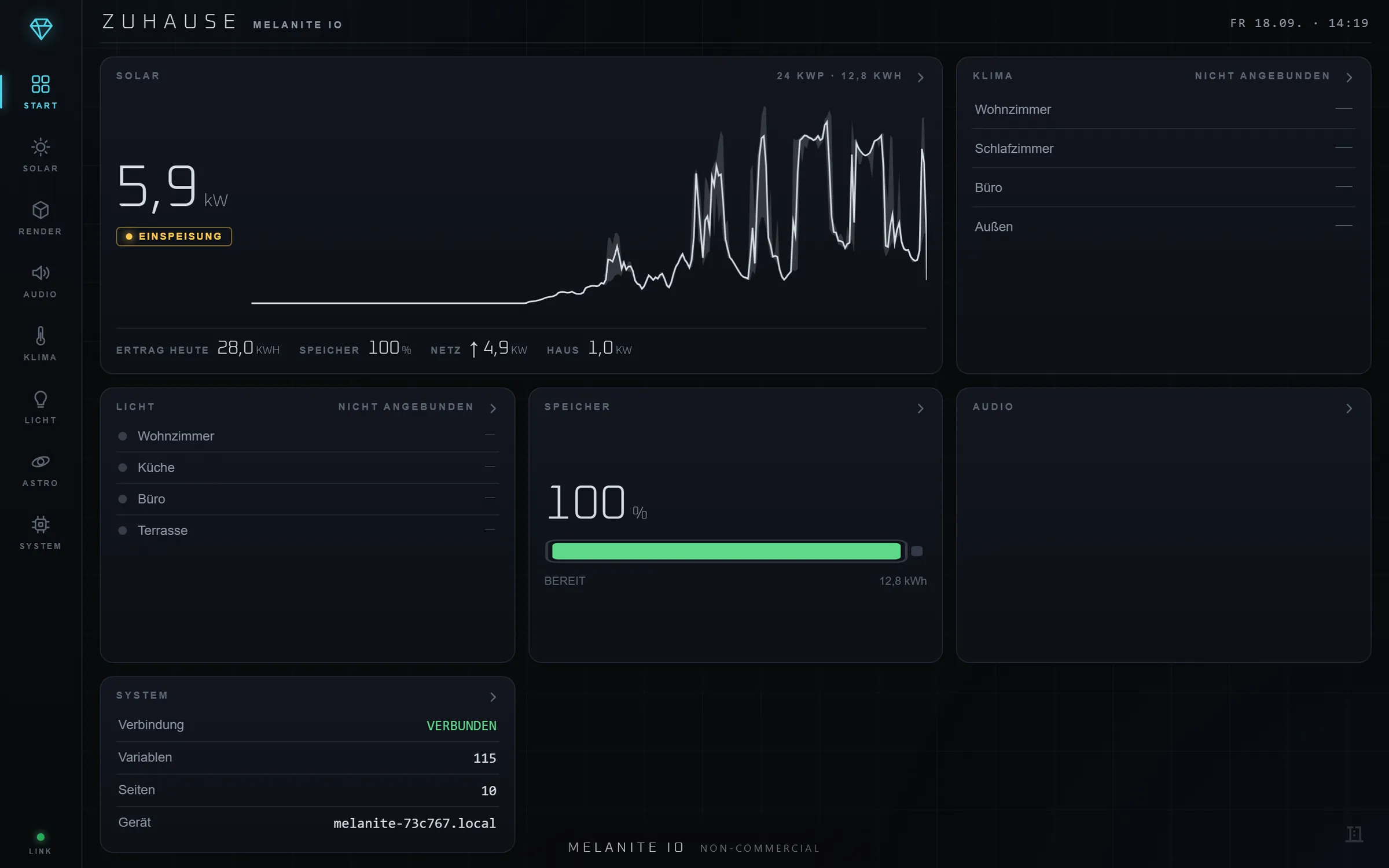
A branded Melanite operator page titled Zuhause, showing live solar production of 5.9 kW with a day curve, a battery at 100 percent, and room-by-room climate and lighting cards.
A custom HMI served at /device: the owner's HTML, their layout, their language, with live values. The only Melanite branding is the free-tier badge, which a commercial licence removes.

In one line

Melanite hosts a custom, fully branded operator UI at /device. A single JavaScript include opens a WebSocket bridge so any HTML element can subscribe to a live value or write back to it with a data attribute — no framework, no build step. Beyond numbers, the same bridge embeds live 3D camera views from the spatial editor, 2D scenes, camera streams with vision overlays, sparkline history charts, acknowledge-able alarms, audio zone controls and server-rendered sentences in the viewer's own language. Author it in the built-in browser editor, or have the AI assistant write it.

Capabilities

Branded UI

Your logo, colours and terminology, served at /device — not a generic vendor skin. On a commercial licence the 'powered by Melanite' badge comes off and the platform is invisible.

Live bridge

One JS include. Add data-mio-* attributes to ordinary HTML and values stream in over WebSocket; inputs write back over the same socket, with role and HMI-level gating applied server-side.

Rich bindings

Live 3D camera views, embedded 2D scenes, camera streams with fiducial/focus overlays, any vision pipeline stage as an image, momentary push-buttons, sparkline history charts and audio zone controls.

Text that reads correctly

String variables plus server-rendered ICU templates: bind a sentence, not a number. "Reaktor bei 83,4 °C" is rendered per client in that client's language — by the same engine that speaks announcements aloud, so the screen shows exactly what the room hears.

Alarms on your own page

List active conditions, show the event journal and let an operator acknowledge an alarm straight from your HTML — with who and when recorded.

Authoring

Built-in browser editor with a live split preview, a global variable registry (the tag table), and Content-Security-Policy applied to what you ship. Or describe the page to the AI assistant and refine what it writes.

Two surfaces, one system

Before you author anything, the built-in widget HMI at /ui renders slider, button, display, text and colour-picker nodes as a touch grid automatically. Move to custom HTML when you want the brand.

Worked examples

A machine panel that isn't a PLC screen

An OEM ships a machine and wants the operator UI to look like their product, not like automation software.

How

Their designer writes ordinary HTML/CSS with the company's type and colours, adds data-mio-* attributes to the controls, and serves it at /device. The commercial licence removes the Melanite badge. The same page embeds a live 3D view of the machine and a trend chart of the last shift.

A house dashboard on a wall panel

A floor-plan page where every lamp is tappable and the heating state reads as a sentence.

How

An SVG floor plan is imported and its elements bound directly to variables, so tapping #lamp_kitchen writes the light. A bound ICU template renders "Heizung aus, Rücklauf 31,4 °C" in German on the panel and in English on a guest's phone — from the same binding.

Why Melanite

Traditional HMI editors give you their widgets, their look and their licence. Melanite gives you the web platform: if you can write HTML, you can build the operator UI — and the bridge that carries the live data also carries 3D views, camera streams, charts, alarms and speech.

FAQ

Can the HMI write back to the logic?

Yes. Any control can both subscribe to a live value and write to it over the same WebSocket bridge. Writes are gated server-side by user role and by a per-variable HMI level, so a display-only page stays display-only.

Do I need a build step or a framework?

No. It is plain HTML, CSS and attributes. The bridge is one script include. You can use a framework if you want to, but nothing requires it.

Can the AI write the HMI for me?

Yes. The built-in assistant and any external AI agent author /device pages through the same audited tool surface — list, read and write HMI files. An assistant turn is a single undo step; for an external agent, each batch is.

Free, full-featured

Every feature, free for personal use.

One binary runs every tier — the licence only toggles entitlements, never the feature set.